Start with what you mean.
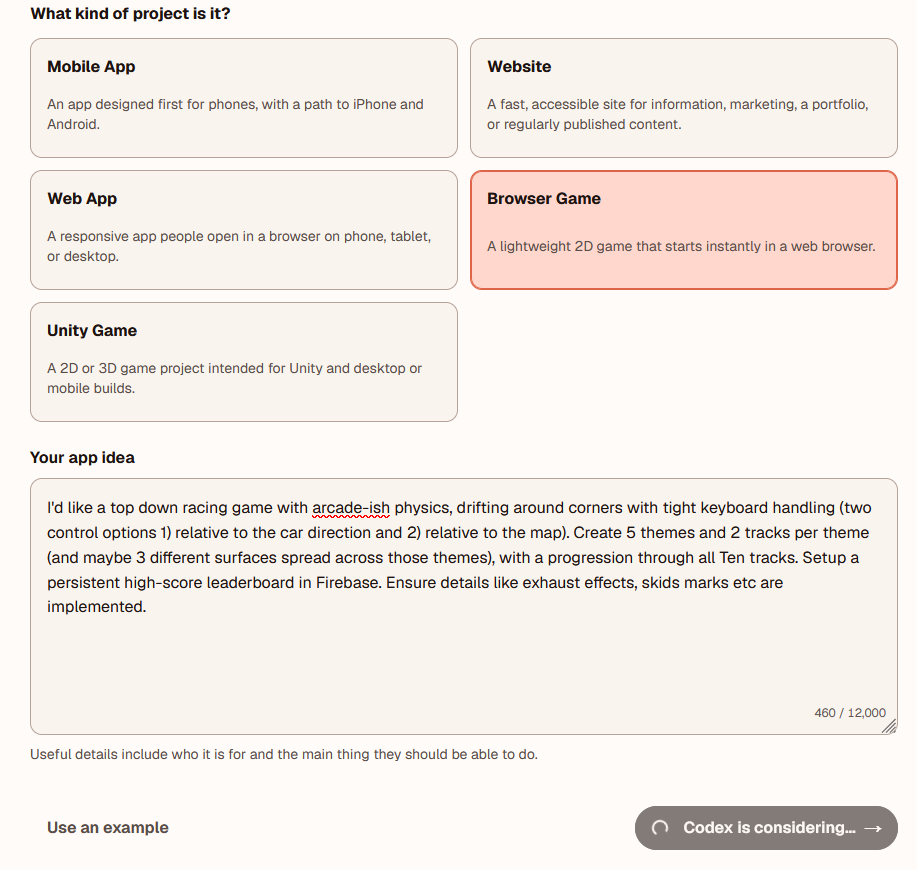
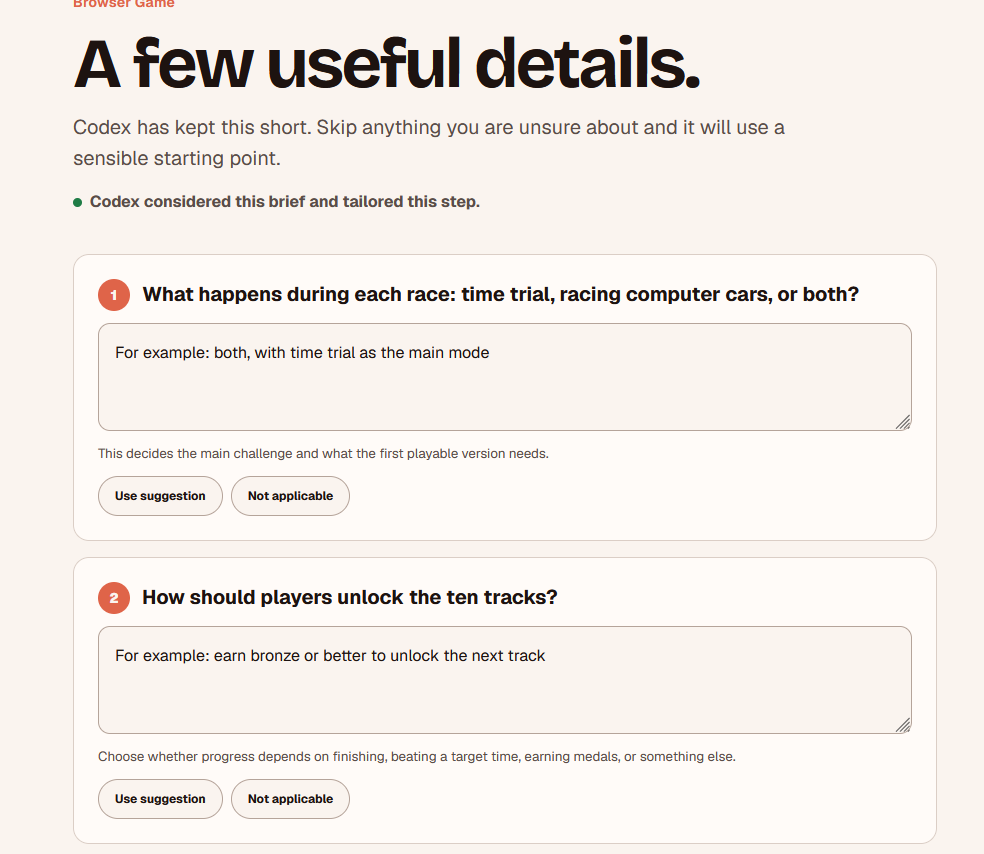
Choose the kind of thing you are making and describe it in your own words. Vibe Companion then asks only the questions that materially change the first build.
Vibe Companion · Working alpha
Vibe Companion turns a rough idea into a plain-language plan, shows what Codex is doing, and brings you back in when a decision needs a human.
Private/local prototype
This is the sequence the alpha is designed to make legible.
Start with the app in your head, in the language you already use. Vibe Companion accepts a new idea or an existing Codex workspace.
No package names required.
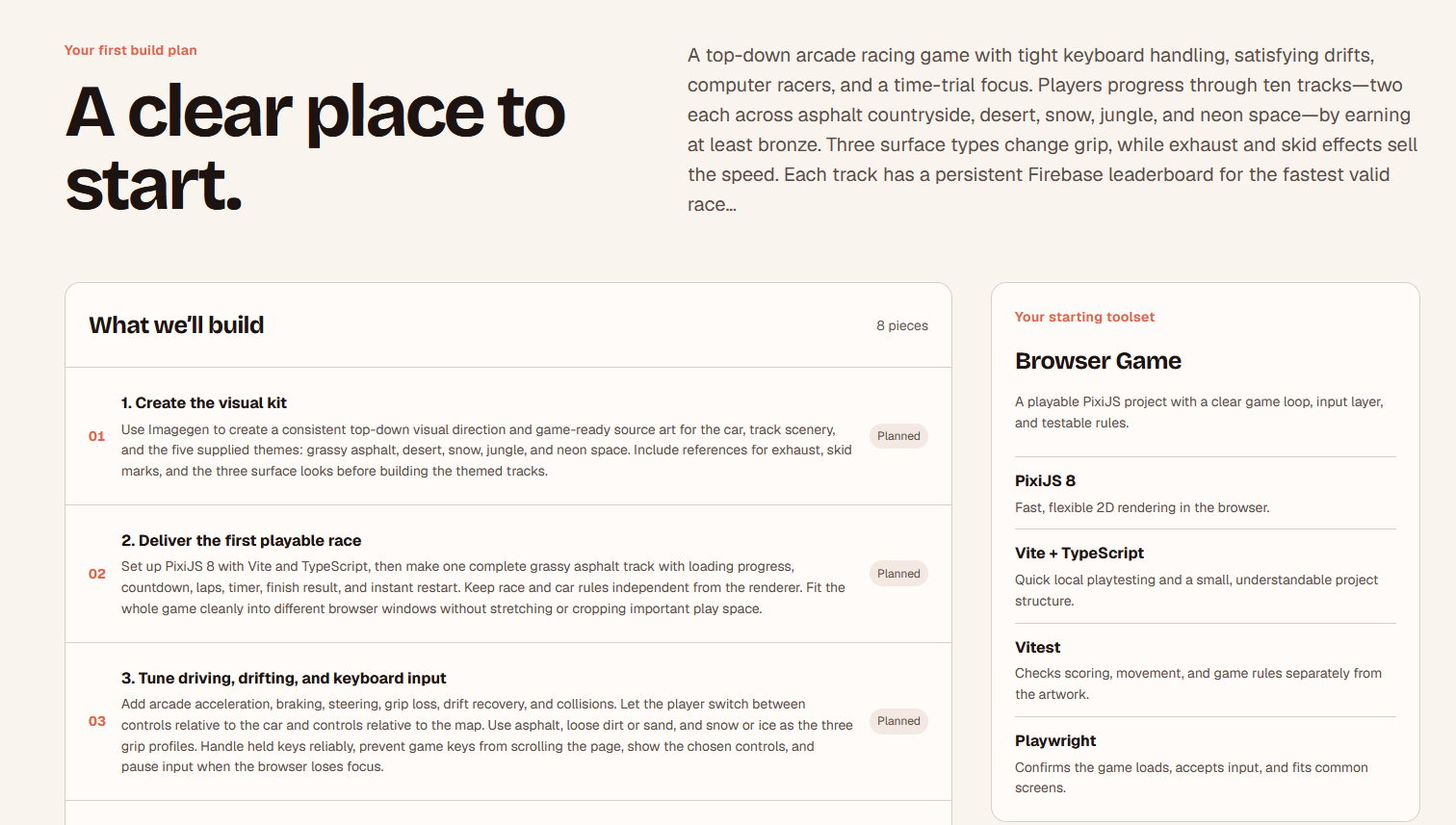
Codex proposes an ordered set of work. You can edit it, answer bounded product questions, and approve the plan before it reaches the board.
You see the shape before work starts.
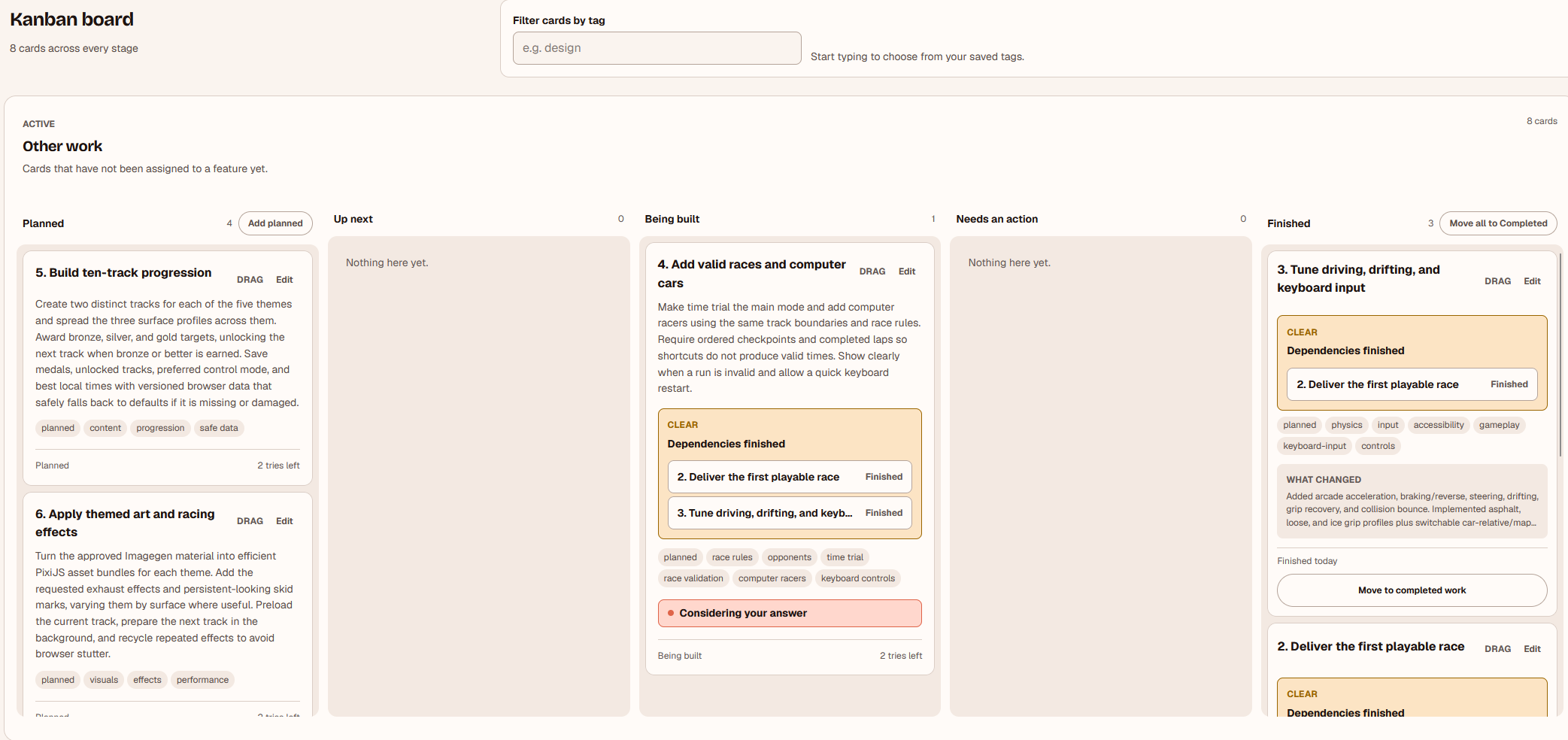
Ideas, planned work, active builds, decisions and checks live in human labels such as Up next and Needs an action.
The board answers “where are we?”
Launch a local preview, follow a practical checklist, see the evidence, and turn anything unfinished into the next clear piece of work.
Finished means checked.
These are real screens from the working alpha. They show the part I care about most: keeping the builder oriented while Codex moves from interpretation to implementation.
Choose the kind of thing you are making and describe it in your own words. Vibe Companion then asks only the questions that materially change the first build.
The idea becomes ordered work with a visible starting toolset. You can see what Codex thinks it is building, and why, before the first implementation card moves.
Automatic work can continue while the project remains pausable and inspectable. Project chat stays close by, so an ordinary instruction can redirect or reorganise the work.
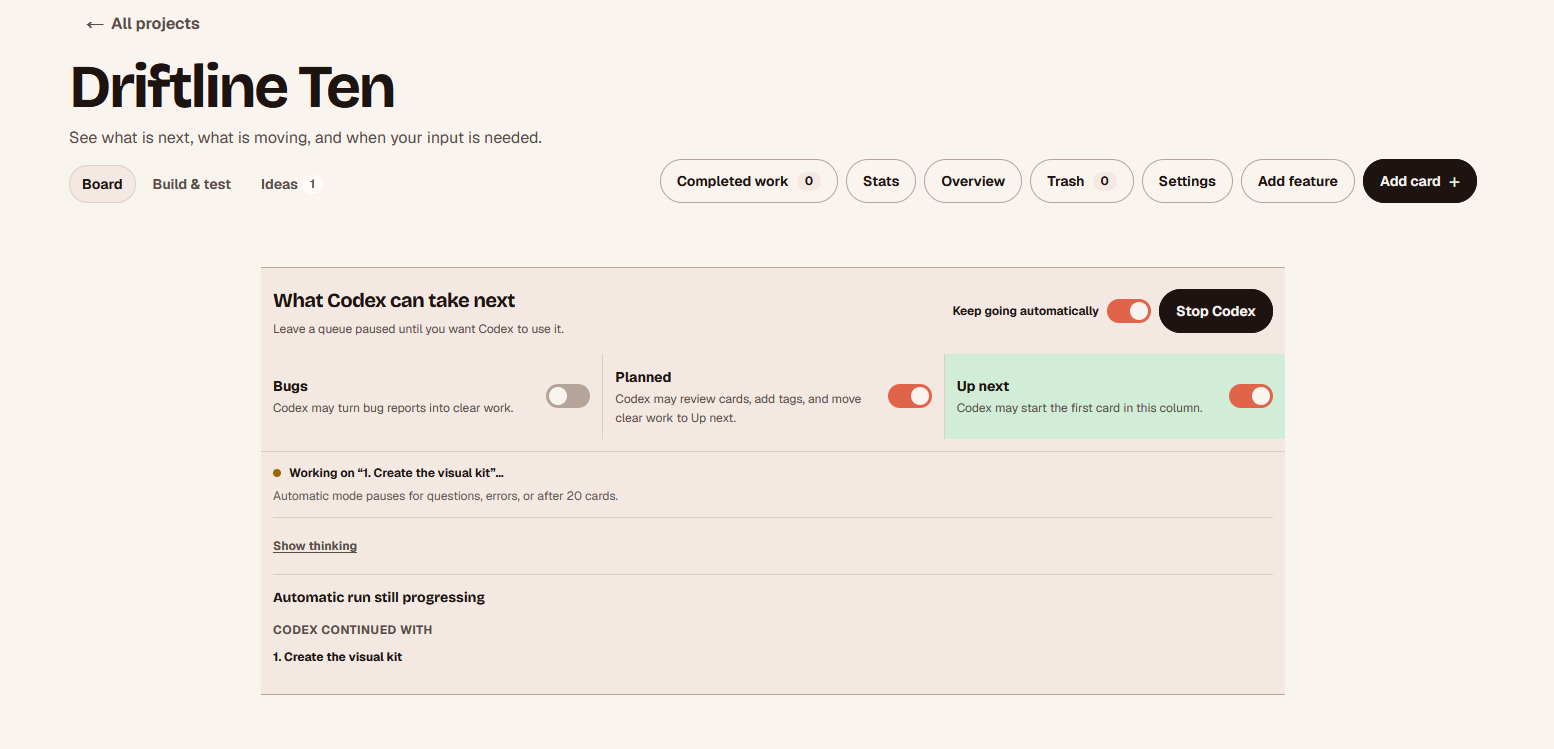
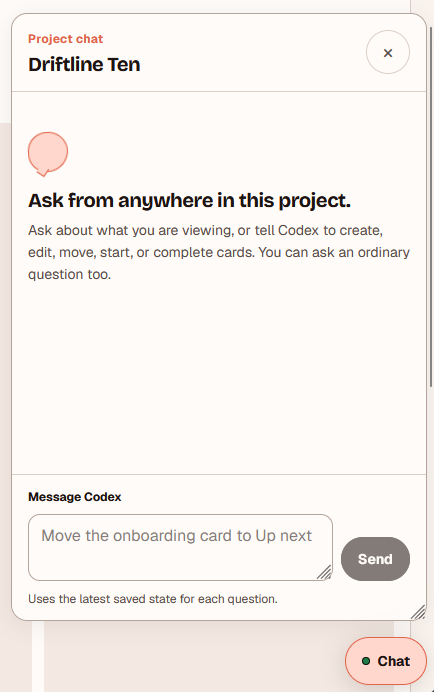
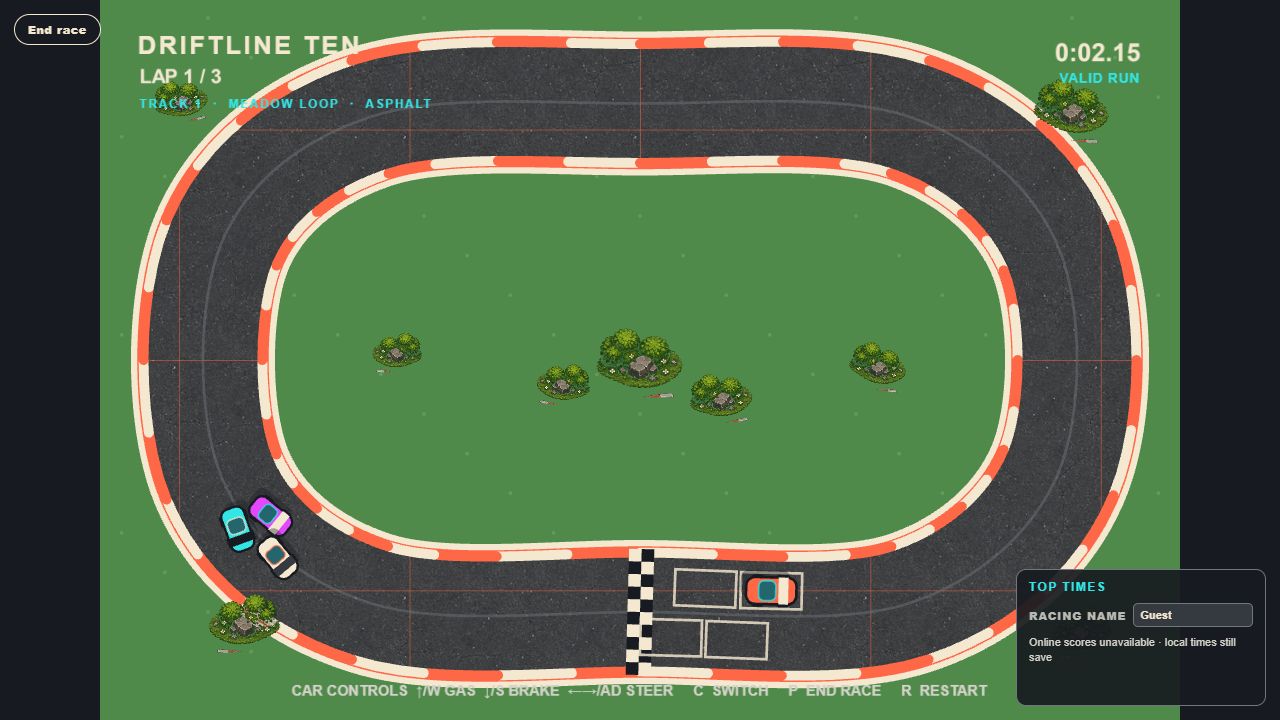
Driftline 10 began as an ordinary description of a top-down arcade racer. Vibe Companion turned it into visible decisions, an ordered plan and a board I could follow while Codex built the game.
The result is playable in the browser: fifteen tracks, three surfaces, rival cars, mastery rewards and a persistent leaderboard. The important bit is not that AI made something. It is that I could see the project taking shape and intervene while it did.
Vibe Companion is designed to surface the moment when an apparently small choice changes the behaviour people will notice. Codex pauses, explains the decision, and waits.
The goal is not to pretend AI-assisted work is simple. It is to make the important parts legible enough to supervise.
Local by design
The web app tracks the plan. A short-lived connection pairs it with a verified project folder on the builder’s own machine. The browser never receives arbitrary file or shell access.
Project status
Working alphaVibe Companion is a working private/local prototype. I am using it to explore a practical question: as AI-assisted building gets more capable, can the person doing the building stay oriented, make meaningful choices, and know when something is actually done?
This page shows the product direction and the thinking behind it. Public sign-up, cloud execution and team workflows are not part of the current alpha.
If you are exploring a similar product, workplace or AI problem, I would like to hear about it.